Open source · Offline phone · Bitcoin & EVM
Your public keys stay hidden until you spend.
A spare offline phone holds your recovery phrase in memory only, derives the private keys from it and signs. Your computer gets addresses; an account’s public key reaches it only in a transaction that account signed.
Coming to Google Play and the App Store.
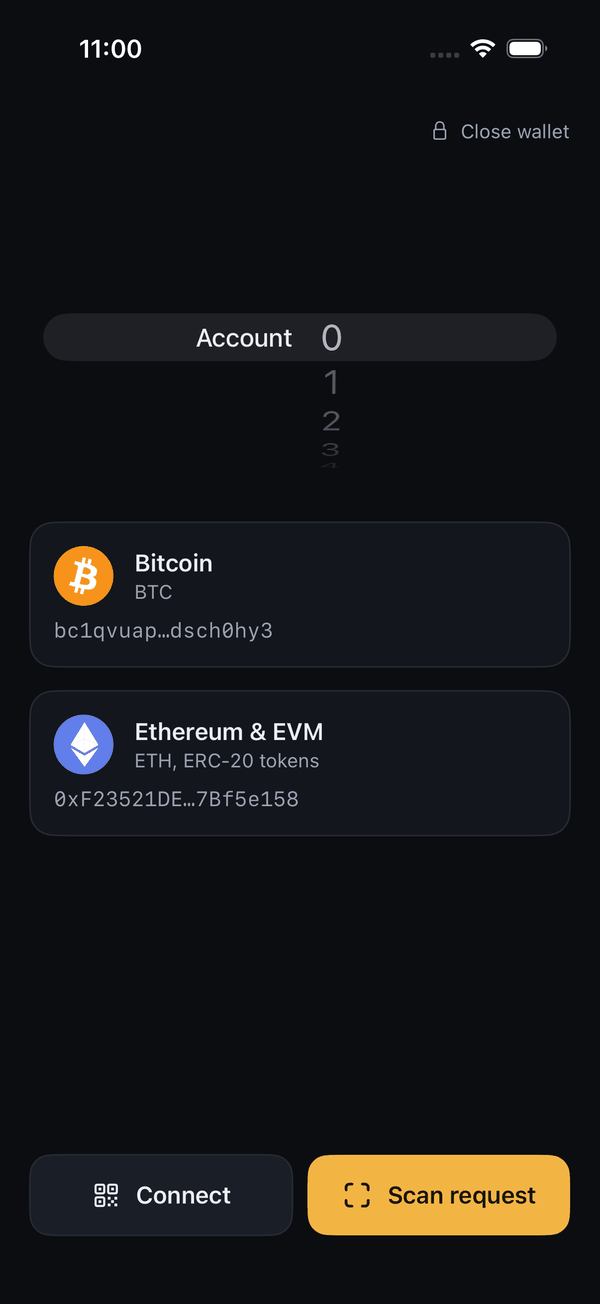
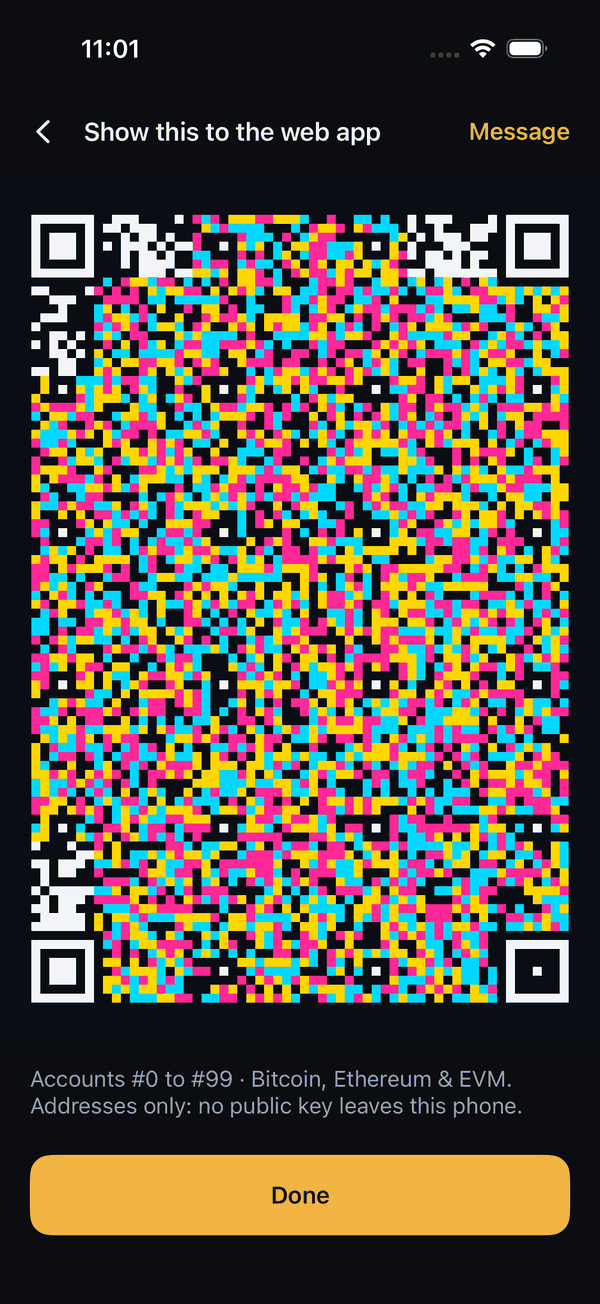
- Addresses only
- Offline-only signer
- Nothing stored
- MIT licensed
Most cold wallets hand the computer your public keys
A large enough quantum computer could work out a private key from its public key. Every wallet reveals an account’s key when that account spends; in their usual setups, most cold wallets also hand over the keys of accounts that never have.
| Usual setup | What the computer receives |
|---|---|
| Ledger Live, Trezor Suite | An extended public key for each Bitcoin account |
| A hardware wallet in MetaMask | An extended public key: every account’s key |
| QR air-gapped wallets | Extended public keys, exported once |
| Airkeys | Addresses only |
How it works
- 1
Take a phone offline
Airplane mode on, Wi-Fi and Bluetooth off. Airkeys waits until it sees the phone offline.
- 2
Enter your phrase
Type it, with an optional passphrase, or scan a SeedQR (standard or compact). It stays in memory and is never saved.
- 3
Connect
The phone shows your addresses as a code; the web companion reads it.
- 4
Send
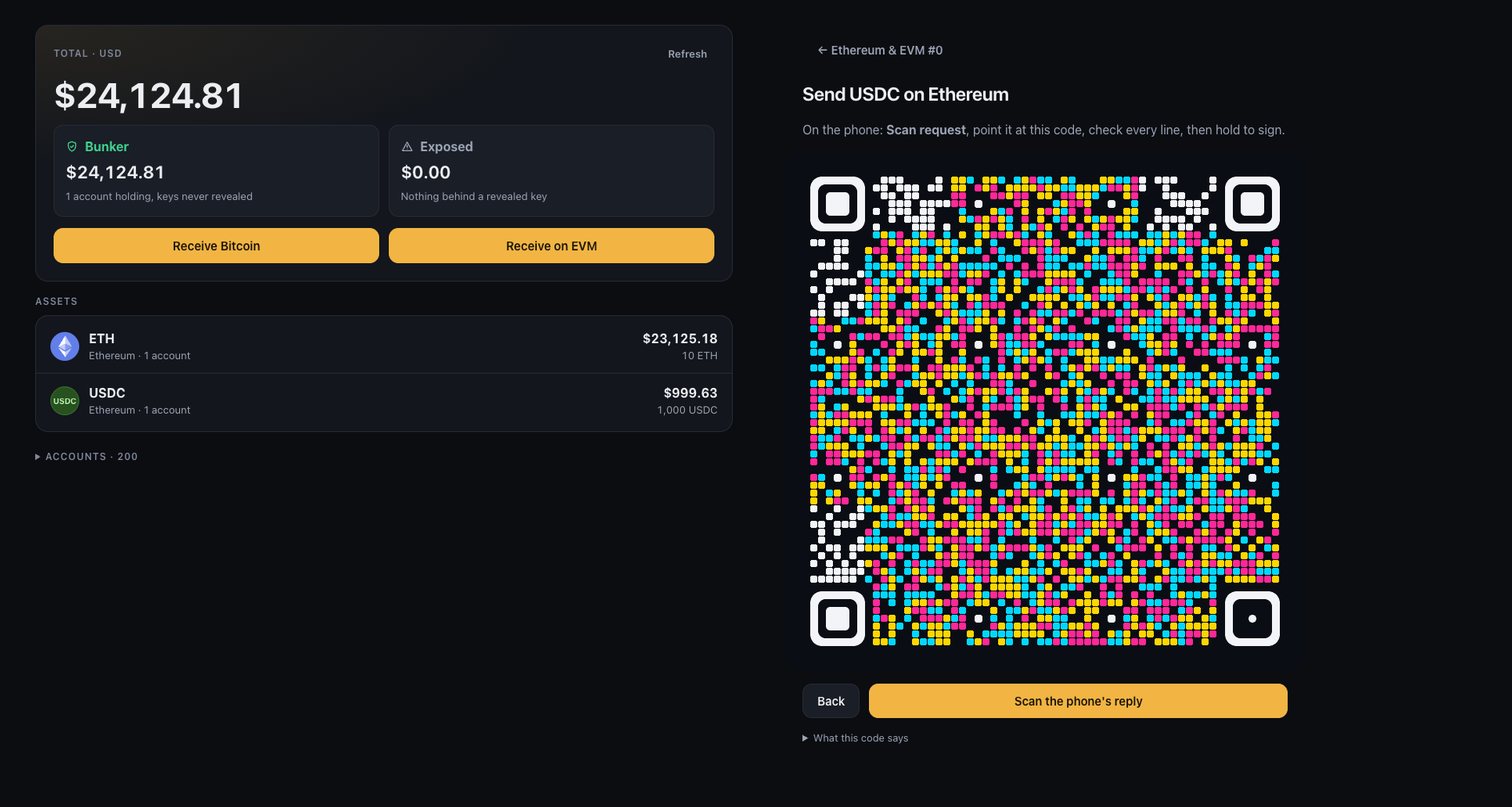
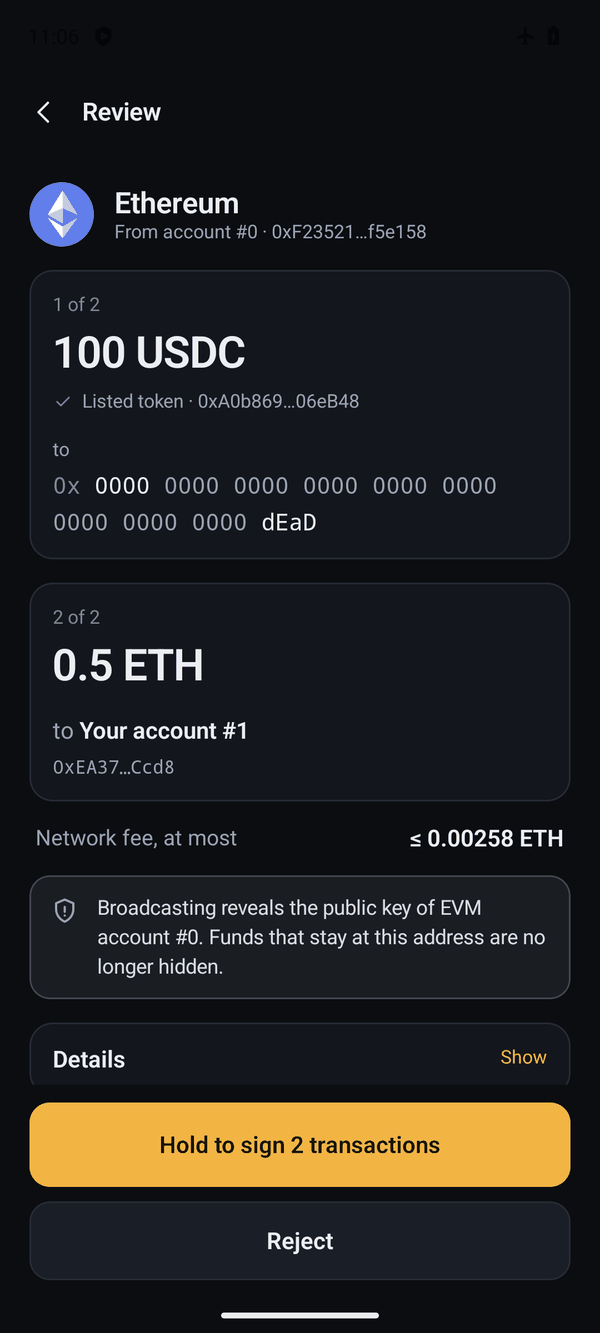
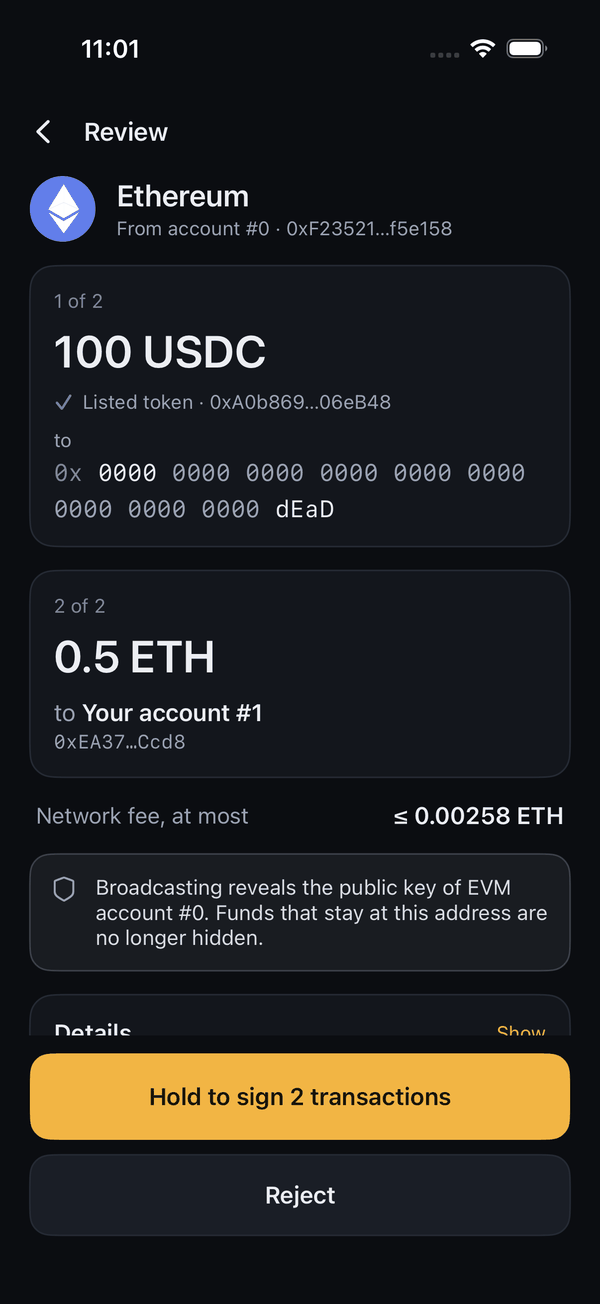
The web companion prepares a transfer; the phone shows every recipient, amount and fee, and signs when you hold the button.
Bunker mode
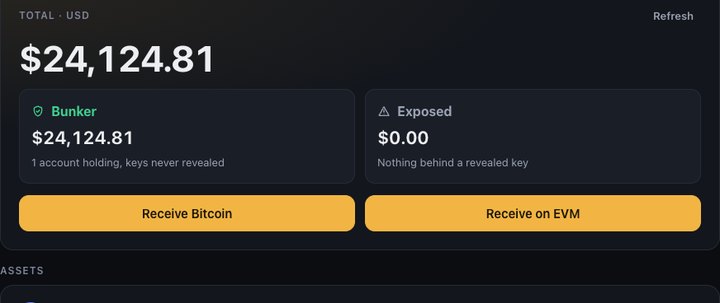
Spending reveals an account’s key. Bunker mode, on by default, moves what is left to a fresh account in the same signing.
Bunker and Exposed
The web companion splits your total into funds behind keys never revealed and funds to move.
Or a plain cold wallet
Turn bunker mode off: a send moves only what you enter, and change stays on the account.
Protections
-
Enforced air gap
While the phone sees a network, Wi-Fi, mobile data or Bluetooth on, it shows, scans and signs nothing. iPhone cannot see Wi-Fi that is on but not joined.
-
Nothing stored
The phrase lives in memory until you close the wallet: no account, file or backup. The Android app has no internet permission.
-
Clear signing
The phone builds every transaction from the request’s fields and shows each recipient, amount and fee before you hold to sign.
-
Transfers only
Bitcoin spends, and native-coin or ERC-20 transfers. No messages, approvals or contract calls.
-
Readable codes
Both apps show the JSON each code carries, so you can check that no key crosses the gap.
-
Private screens
The phrase screens are hidden from recordings and the app switcher; Android also blocks screenshots. Android asks keyboards not to learn what you type; iPhone refuses third-party keyboards and turns off suggestions.
What the tests of each protection check →
Who can do what
| If someone has | They can | They cannot |
|---|---|---|
| Your computer, or the web companion | See your addresses and balances. Ask the phone for a transfer. | Sign. Keep a recipient, amount or fee off the phone’s review. Learn the public key of an account that never spent. |
| Your phone, with the wallet closed | — | Find your phrase or a key in Airkeys’ data: it stores none. |
| Your phone, with the wallet open | Sign any transfer, as you can: there is no PIN, and the wallet stays open in the background until you close it. | — |
| A quantum computer that breaks secp256k1 | Work out the private key of an account that has spent: its public key is on chain, and in the mempool while the spend waits. | Work out the private key of an account that never spent: only a hash of its public key is known. |
| Control of your phone’s system, or malware on it | Read the phrase as you type it. | — |
| Your recovery phrase | Everything, in any wallet. Airkeys neither creates nor keeps it: keeping it safe is up to you. | — |
No third-party audit yet. Start with small amounts, on a phone you have reset.
Networks
Bitcoin
P2WPKH accounts at m/65738275′/84′/0′/0′/0′/i′, every step hardened: the key stays hashed until it spends (a Taproot output shows it). Pays any address type; spends are replaceable (RBF).
Ethereum & EVM
Accounts at m/65738275′/44′/60′/0′/0′/i′, every step hardened. EIP-1559 or legacy transfers of coins and about 300 listed tokens on Ethereum, Base, Arbitrum One, OP Mainnet, Polygon, BNB Smart Chain, Avalanche C-Chain and 16 more, or any EVM chain you add.
The web companion
A static site that reads balances, prepares transfers and broadcasts what the phone signed. It never sees your phrase and cannot sign.
- The endpoints you choose; the default public nodes see your addresses together
- No analytics or account, here or in the extension
- Totals split into Bunker and Exposed
For Chrome, Edge and Brave: unzip it, then Load unpacked in chrome://extensions. New versions and their SHA-256 are on the releases page.
Android and iPhone
One Rust core on both: the same phrase gives the same accounts.
Tested on iPhone 11 and 15 Pro, Samsung Galaxy S22 and Redmi K40.
Open source and recoverable
Recover without Airkeys
Bitcoin Core and Foundry find your funds from the phrase and the two documented paths.
Recovery guide →Checked independently
Signed transactions are mined by Bitcoin Core (regtest) and executed on an anvil fork of Ethereum mainnet.
What is verified →An open protocol
Every message is specified; a change old apps could misread gets a new version number.
Pricing
The store version and a build from source are the same app. Buying it saves you the build and pays for Airkeys’ upkeep.
Google Play and the App Store
US$29.99 once
Coming soonAndroid and iPhone are bought separately. The web companion is free.
Questions
What exactly does the phone sign?
Bitcoin spends from its own accounts, and native-coin or ERC-20 transfers on EVM chains. A request for anything else is refused: messages, approvals, contract calls.
Who sees my addresses?
The web companion, and the endpoints it reads from, which can tell they belong together. Point those at your own nodes to keep that to yourself.
Does Airkeys create my recovery phrase?
No. Bring a standard BIP-39 phrase of 12 to 24 words, with or without a passphrase.
Will other wallets show the same addresses?
No: the paths are Airkeys’ own. Tools that take a full hardened path find them, such as a Bitcoin Core descriptor or Foundry’s cast.
Is a quantum computer a real threat?
Not yet: no quantum computer today can break the keys Bitcoin and Ethereum use, and no one knows when one will. For funds held for years, hiding their public keys is a cheap precaution: sharing only addresses costs nothing, and bunker mode only the fees of moving.
How do I know my copy is genuine?
Install it only from the official store listings, or build it from source. The README will list the signing certificates of the store builds.
Airkeys for Android and iPhone
The first release is in preparation: US$29.99 once from the stores, or free to build.